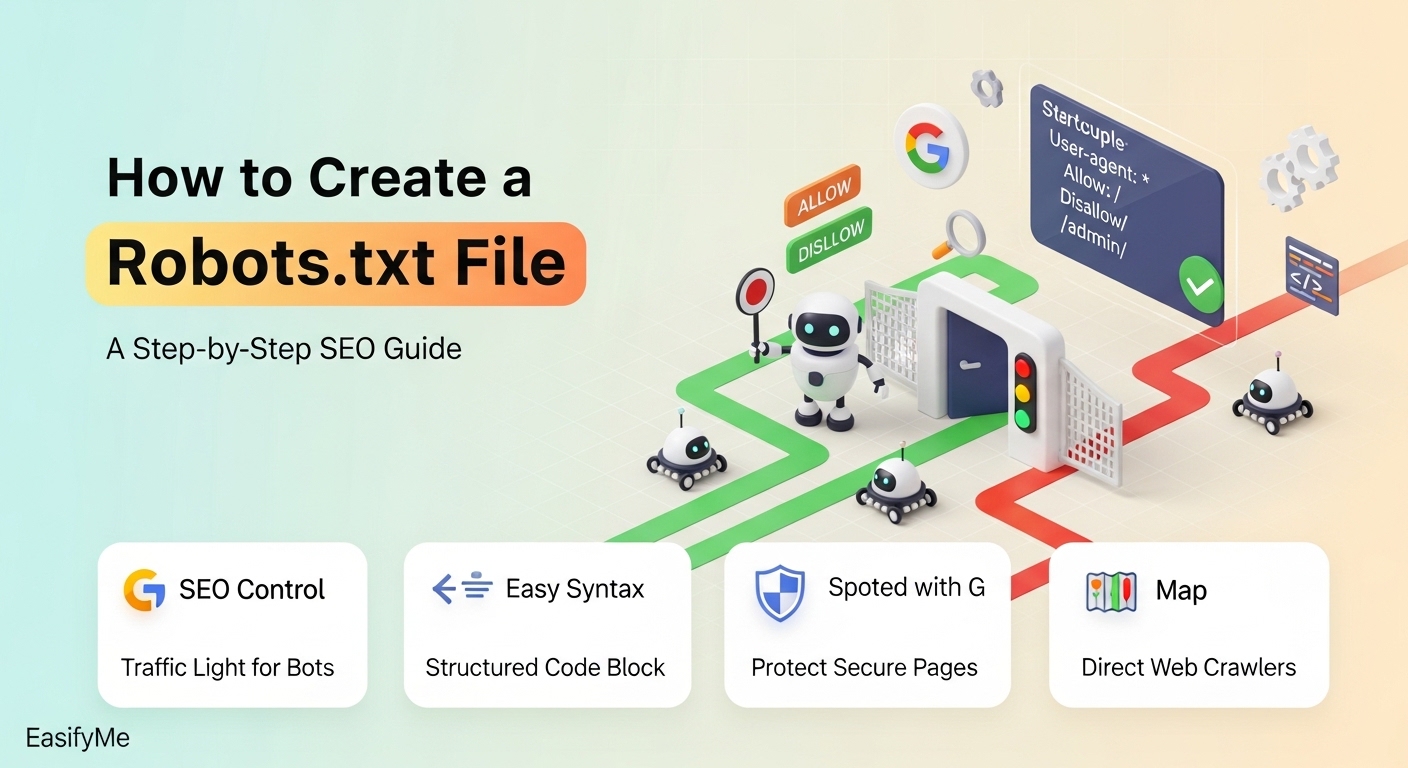
Every day, Google's bots crawl billions of web pages. And every day, websites unknowingly waste a significant portion of their crawl budget on admin panels, staging environments, and duplicate pages that will never rank.
One tiny text file — just a few kilobytes — can fix all of that. It's called robots.txt, and understanding how to create and optimize it is one of the highest-leverage technical SEO tasks you can do for free.
Whether you run a WordPress blog, a Shopify store, or a custom-built website, this guide covers everything — from the very basics to advanced directives, real-world examples, common mistakes, and platform-specific tips.
What Is a Robots.txt File? (And Why It Matters for SEO)
A robots.txt file is a plain text file placed at the root of your website (e.g., https://yoursite.com/robots.txt). It follows the Robots Exclusion Protocol (REP) — a standard that tells automated web crawlers which pages or sections of your site they are allowed to access, and which they should skip.
Think of it as a "house rules" notice posted at the front door of your website. Google's Googlebot, Bing's Bingbot, and hundreds of other crawlers are polite visitors — they read this notice before they start exploring.
Why Does This Matter for SEO?
Search engines have a limited amount of time and resources to spend on any given website. This is called your Crawl Budget — and it's not unlimited. If your robots.txt file is not properly configured:
Google might waste time crawling your /wp-admin/ login page instead of your latest blog post.
Your staging or development URLs might accidentally get indexed.
Sensitive internal pages (like thank-you or customer account pages) might appear in search results.
Duplicate parameter-based URLs (like ?sort=price&order=asc) could dilute your crawl budget.
💡 Quick Note: robots.txt controls crawling, not indexing. Even a disallowed page can appear in results if other sites link to it. To fully prevent indexing, also use a <meta name="robots" content="noindex"> tag. See our Meta Tag Generator Guide: easifyme.com/blog/meta-tag-generator-guide
Robots.txt Syntax: Every Directive Explained
The robots.txt format is simple, but precision matters. Let's go through every component.
Core Structure
A robots.txt file is made up of one or more records. Each record applies rules to a specific group of bots:
User-agent: [bot name or *]
Directive: [path or value]
User-agent — Who Are You Talking To?
The User-agent field specifies which bot(s) the following rules apply to.
User-agent: * (all bots)
User-agent: Googlebot (Google only)
User-agent: Bingbot (Bing only)
User-agent: GPTBot (OpenAI training crawler)
Disallow — What to Block
The Disallow directive tells bots they are NOT allowed to crawl a specific path.
Disallow: /wp-admin/
Disallow: /temp/
Disallow: /private/
Disallow: /checkout/
# Block EVERYTHING (use ONLY on staging sites):
Disallow: /
# Allow EVERYTHING:
Disallow:
Allow — Punching Holes in a Blocked Area
Use Allow to make exceptions within a blocked section. Most useful when you've blocked an entire directory but need to allow a specific file within it.
User-agent: *
Disallow: /wp-admin/
Allow: /wp-admin/admin-ajax.php
Sitemap — The Bonus Directive
Adding your sitemap URL in robots.txt means every bot that reads your file immediately knows where to find your full content map. You can list multiple sitemaps:
Sitemap: https://yoursite.com/sitemap.xml
Sitemap: https://yoursite.com/sitemap-products.xml
Sitemap: https://yoursite.com/sitemap-images.xml
💡 See our XML Sitemap Generator Guide for step-by-step sitemap creation: easifyme.com/blog/xml-sitemap-generator-guide
Quick-Reference: All Robots.txt Directives at a Glance
|
Directive |
What It Does |
Supported By |
|
User-agent |
Targets specific bots or all bots (*) |
All compliant bots |
|
Disallow |
Blocks access to a path |
All compliant bots |
|
Allow |
Overrides a Disallow for a specific path |
Googlebot, Bingbot |
|
Sitemap |
Points bots to your XML sitemap |
Googlebot, Bingbot, Yandex |
|
Crawl-delay |
Sets pause between requests |
Bingbot, Yandex (not Google) |
Step-by-Step: How to Create Your Robots.txt File
Step 1 – Audit Your Site Structure
Before writing a single line, walk through your website's folder structure. Ask yourself:
Do you have an admin panel? (e.g., /wp-admin/, /admin/, /dashboard/)
Do you have a staging or dev area? (e.g., /staging/, /dev/, /test/)
Do you have internal search result pages? (e.g., /?s=, /search?q=)
Do you have thank-you, confirmation, or account pages?
Do you have shopping cart or checkout pages?
Do you have tag or archive pages generating thin content?
Step 2 – Generate Your File with EasifyMe
Use the free EasifyMe Robots.txt Generator (easifyme.com/seo-tools). It's completely free and takes less than a minute:
Select the bots you want to address (all bots, Googlebot only, Bingbot, etc.)
Toggle the directories you want to block
Paste in your sitemap URL
Click "Generate" — the tool creates valid syntax in real-time
Step 3 – Add Your Sitemap URL
At the very bottom of your file, add your sitemap. Don't skip this step:
Sitemap: https://yoursite.com/sitemap.xml
Step 4 – Upload to Your Root Directory
Save the file as exactly robots.txt (no uppercase, no variations). Upload it to the root directory of your domain — the same folder where your main index.html or index.php file lives. For most shared hosting, this is the public_html or www folder.
Once uploaded, verify it by visiting https://yourdomain.com/robots.txt in your browser.
Step 5 – Test It in Google Search Console
Go to Google Search Console → Settings → Robots.txt. Test specific URLs to confirm your rules are working correctly. This step is non-negotiable.
Real-World Robots.txt Examples
Example 1: Standard WordPress Website
User-agent: *
Disallow: /wp-admin/
Disallow: /wp-login.php
Disallow: /trackback/
Disallow: /xmlrpc.php
Disallow: /?s=
Disallow: /tag/
Disallow: /feed/
Allow: /wp-admin/admin-ajax.php
Sitemap: https://yoursite.com/sitemap.xml
Example 2: E-Commerce Website (WooCommerce / Custom)
User-agent: *
Disallow: /cart/
Disallow: /checkout/
Disallow: /my-account/
Disallow: /order-received/
Disallow: /wp-admin/
Disallow: /?add-to-cart=
Disallow: /?orderby=
Disallow: /wp-login.php
Allow: /wp-admin/admin-ajax.php
Sitemap: https://yoursite.com/sitemap-products.xml
Sitemap: https://yoursite.com/sitemap-categories.xml
Example 3: Staging / Development Environment
User-agent: *
Disallow: /
# IMPORTANT: Change this before going live!
Example 4: Blocking AI Training Bots (2026 Trend)
User-agent: GPTBot
Disallow: /
User-agent: CCBot
Disallow: /
User-agent: Google-Extended
Disallow: /
User-agent: *
Disallow: /wp-admin/
Sitemap: https://yoursite.com/sitemap.xml
Platform-Specific Robots.txt Guide
|
Platform |
Common Need |
Control Level |
Key Tip |
|
WordPress |
Block /wp-admin/, /?s=, /trackback/ |
Full (with plugin) |
Use Yoast SEO or Rank Math for GUI control |
|
Shopify |
Cart/checkout auto-blocked |
Limited |
Focus SEO effort on meta tags instead |
|
Wix / Squarespace |
Built-in settings |
Restricted |
Check defaults — some have accidental blanket disallows |
|
Custom HTML |
Manual file upload |
Full |
Use EasifyMe Generator for syntax, then upload via FTP |
The 10 Most Critical Robots.txt Mistakes
Mistake 1: Disallow: / on a Live Site
This single line blocks every bot from crawling anything. Sites go live still blocking all bots — often left over from a staging environment. Your site will effectively disappear from Google.
Mistake 2: Blocking CSS and JavaScript Files
Google renders your pages like a browser. If your CSS or JS files are blocked, Google cannot see your site's layout, understand structured data, or evaluate Core Web Vitals properly.
Mistake 3: Ignoring Case Sensitivity
Paths in robots.txt are case-sensitive on most servers. /Admin/ and /admin/ are two different paths. Always double-check your folder names.
Mistake 4: Thinking robots.txt Provides Security
It does not. Any malicious bot can — and will — ignore it entirely. For truly private content, use server-level authentication and proper HTTP headers.
Mistake 5: Forgetting to Include Your Sitemap
This is a free SEO boost most people miss. Including Sitemap: in your robots.txt ensures every crawling bot knows where to find your content.
Mistake 6: Blocking Paginated URLs
If you block paginated content (/category/news/page/2/), crawlers can't discover important content. Handle pagination through canonical tags instead.
Mistake 7: Using robots.txt Instead of Noindex
Robots.txt controls crawling. noindex controls indexing. For reliable de-indexation, use <meta name="robots" content="noindex"> in the page's HTML.
💡 Learn more about meta tags: easifyme.com/blog/meta-tag-generator-guide
Mistake 8: Not Testing After Every Change
Every time you modify your robots.txt, run it through the Google Search Console Robots.txt Tester. One wrong character can break critical rules.
Mistake 9: Having Multiple robots.txt Files Per Domain
There can only be one robots.txt file per subdomain. If you have a subdomain (like blog.yoursite.com), it needs its own robots.txt at blog.yoursite.com/robots.txt.
Mistake 10: Outdated Rules After Site Restructuring
If you reorganize your URL structure, your robots.txt rules may no longer match reality. Audit your robots.txt every time you restructure your site.
Advanced Robots.txt Strategies for 2026
Crawl Budget Management for Large Sites
If your website has more than a few hundred pages, crawl budget is a serious concern. Use Google Search Console's crawl report to identify crawl wasters — session IDs, faceted navigation filters, parameter-based duplicate pages. Add specific Disallow rules to stop bots from following these paths.
💡 For a complete technical SEO toolkit overview, see: easifyme.com/blog/top-free-seo-tools-2026
Protecting Your Content from AI Scrapers
The robots.txt protocol has expanded in 2026 to include AI-specific bot identifiers. Known crawlers you can block:
GPTBot — OpenAI's training crawler
CCBot — Common Crawl (used by many AI projects)
Google-Extended — Google's AI training crawler (separate from Googlebot)
anthropic-ai — Anthropic's crawler
PerplexityBot — Perplexity AI's crawler
Robots.txt and International SEO
Subfolders (/en/, /fr/) are controlled by the root robots.txt
Subdomains (en.yoursite.com) each need their own robots.txt
Country TLDs (yoursite.fr, yoursite.de) also each need their own robots.txt
How Robots.txt Connects to Your Broader SEO Toolkit
|
Tool / Resource |
How It Connects to robots.txt |
EasifyMe Link |
|
XML Sitemap |
Sitemap = what to crawl; robots.txt = what NOT to crawl. They must not contradict each other. |
easifyme.com/blog/xml-sitemap-generator-guide |
|
Meta Tags (noindex) |
robots.txt = crawl control; noindex = index control. Use both strategically. |
easifyme.com/blog/meta-tag-generator-guide |
|
Keyword Density |
After optimizing crawl, ensure important pages target the right keywords at the right density. |
easifyme.com/blog/keyword-density-checker-guide |
|
SEO Tools Overview |
Complete roundup of all free SEO tools available in 2026. |
easifyme.com/blog/top-free-seo-tools-2026 |
Frequently Asked Questions
What is a robots.txt file and what does it do?
A robots.txt file is a plain text file at the root of your website that instructs web crawlers which pages they are allowed or not allowed to access. It follows the Robots Exclusion Protocol respected by all major search engines including Google, Bing, and Yandex.
How do I create a robots.txt file for free?
Use the EasifyMe Robots.txt Generator (easifyme.com/seo-tools). Select your desired rules, add your sitemap URL, and download the ready-to-use file in seconds. You can also create it manually in any plain text editor — save it as robots.txt with no other extension.
Where exactly do I put my robots.txt file?
It must be placed in the root directory of your domain. For example, if your website is https://example.com, the file must be accessible at https://example.com/robots.txt. Placing it in any subdirectory means bots will completely ignore it.
Can robots.txt hurt my SEO?
Yes, significantly — if misused. The two most dangerous mistakes are using Disallow: / on a live site (blocks everything) and blocking your CSS or JavaScript files (prevents Google from rendering your pages properly).
Does robots.txt block pages from appearing in Google?
Not entirely. Robots.txt controls crawling, not indexing. Google can still discover a disallowed page through links from other websites. To fully prevent a page from appearing in search results, use a noindex meta tag. See: easifyme.com/blog/meta-tag-generator-guide
How often should I update my robots.txt file?
Review it whenever you add a new section to your site, change your URL structure, launch or close a staging environment, or run an SEO audit. For most sites, a quarterly review is sufficient.
What happens if I don't have a robots.txt file?
Search engine bots assume they have permission to crawl your entire website. For small sites this is usually harmless, but for larger sites it leads to crawl budget waste and accidental indexing of sensitive pages.
How do I test if my robots.txt is working correctly?
Use the Robots.txt Tester in Google Search Console. Enter any URL on your site and it will tell you whether that URL is allowed or blocked. You can also inspect the file directly by visiting https://yourdomain.com/robots.txt in your browser.
What is crawl budget and why does it matter?
Crawl budget is the total number of pages Google will crawl on your site within a given time window. A well-structured robots.txt file helps maximize your crawl budget by preventing bots from spending time on pages that don't contribute to your SEO.
Conclusion: Take Control of Your Crawl, Take Control of Your SEO
Your robots.txt file is the very first thing Google reads when it visits your website. That makes it one of the most important technical SEO decisions you can make — and also one of the easiest to get right with the proper tools.
Quick recap:
Understand the directives: User-agent, Disallow, Allow, and Sitemap are your core tools.
Follow the five steps: Audit → Generate → Add Sitemap → Upload → Test.
Use platform-appropriate examples (WordPress, Shopify, Custom, etc.).
Avoid the 10 critical mistakes, especially Disallow: / on a live site.
Connect robots.txt to your broader SEO strategy: sitemaps, meta tags, keyword density.
The best part? You don't need to be a developer. Use our free EasifyMe Robots.txt Generator and explore the full suite of EasifyMe SEO Tools to complete your technical SEO foundation.
Your site, your rules. Make Google work for you.
Disclaimer: EasifyMe provides these tools and guides for informational and educational purposes. Improper configuration of robots.txt can lead to crawl issues or unintended de-indexation. Always test your robots.txt file in Google Search Console before and after any changes.