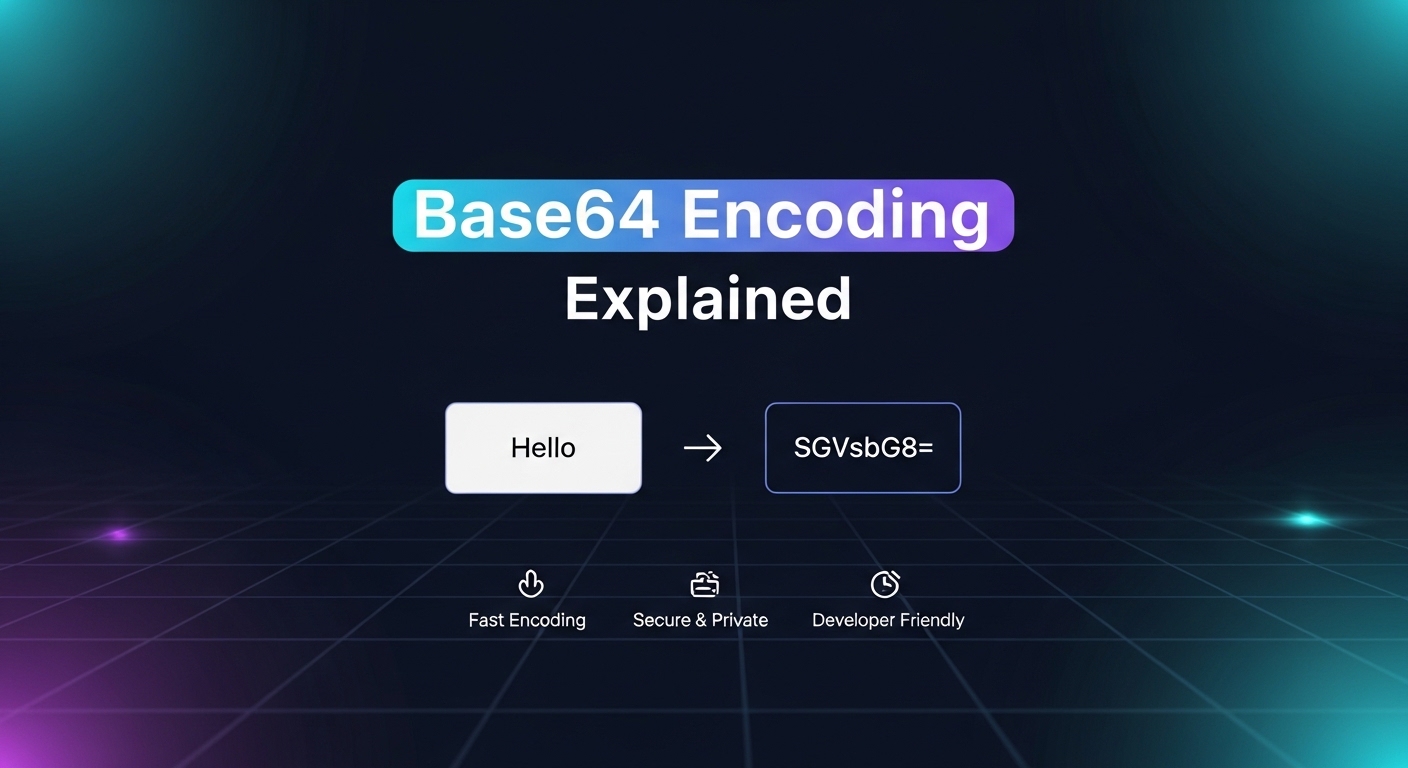
Base64 encoding is the reason an image can sit inside a CSS file, an email attachment survives an ancient mail server, and a JWT can travel safely inside an HTTP header. If you've ever opened a JSON API response and seen a long string of random-looking letters and numbers ending in “==”, you've already met it.
This guide covers what Base64 encoding actually is, exactly how the algorithm works (with a worked example), real code you can copy into a project, where it's used in production systems, where it quietly causes bugs, and how it's different from encryption.
At the end, you can encode or decode your own data instantly with the free EasifyMe Base64 Encoder.
Quick Answer: What Is Base64 Encoding?
Base64 is a binary-to-text encoding scheme. It takes raw binary data — an image, a PDF, an encrypted blob, anything — and represents it using only 64 safe, printable ASCII characters: A–Z, a–z, 0–9, + and /, with = used for padding.
It is not compression (the output is bigger, not smaller) and it is not encryption (anyone can reverse it instantly, with no key required). It exists purely to make binary data safe to carry through systems that were originally built to handle text.
|
Property |
Detail |
|
Alphabet size |
64 characters (A–Z, a–z, 0–9, +, /) |
|
Output size |
~33% larger than the original input |
|
Reversible by anyone? |
Yes — no key needed |
|
Security level |
None — it's formatting, not protection |
|
Typical uses |
Data URIs, email (MIME), JWTs, JSON APIs, PEM certificates |
Why Base64 Exists in the First Place
Not every system that moves data around the internet was designed to handle raw bytes. Email (SMTP), many older protocols, JSON, XML, and HTML attributes were all built around plain text — specifically, safe ASCII characters with no null bytes, no control characters, and no ambiguous symbols.
If you try to push a raw binary file — say, a JPEG — through a channel expecting clean text, things break. A stray byte pattern can get misread as a control character, a line terminator, or a protocol instruction, and the file arrives corrupted.
Base64 solves this by re-packaging binary data into a string built entirely from characters every system already agrees on. The receiving end decodes it back into the exact original bytes. No information is lost — it's a lossless, two-way transformation, not a one-way hash.
This is also why you keep running into it as a developer: it's the connective tissue between binary-shaped data (files, images, cryptographic keys) and text-shaped systems (JSON, email, URLs, config files).
How Base64 Encoding Works, Step by Step
You don't need to do this math by hand in real projects, but understanding it makes debugging padding and length issues much easier.
Step 1 — Take the data 3 bytes at a time. Base64 works in chunks of 3 bytes (24 bits), because 24 is divisible by both 8 (the size of a byte) and 6 (the size of a Base64 unit).
Step 2 — Split those 24 bits into four 6-bit groups. Since 2⁶ = 64, each 6-bit group can represent exactly one of 64 possible values.
Step 3 — Map each 6-bit value to a character. Each value (0–63) maps to one of the 64 alphabet characters: 0–25 → A–Z, 26–51 → a–z, 52–61 → 0–9, 62 → +, 63 → /.
Step 4 — Pad if needed. If the input isn't a clean multiple of 3 bytes, the last group is padded with zero bits, and one or two = characters are appended so the output length stays a multiple of 4.
Worked example — encoding the text “Cat”
|
Text: C a t ASCII: 67 97 116 Binary: 01000011 01100001 01110100
Regroup into 6-bit chunks: 010000 | 110110 | 000101 | 110100
Decimal values: 16 | 54 | 5 | 52
Base64 alphabet lookup: Q | 2 | F | 0
Result: Q2F0 |
That's the entire algorithm — every Base64 string you've ever seen, from a tiny icon to a multi-megabyte PDF, is this same 3-bytes-in, 4-characters-out process repeated until the data runs out.
Base64 Encoding in Code (JavaScript, Python, Node.js)
Here's how to encode and decode in the languages you're most likely using day to day.
JavaScript (browser)
|
// Encode const encoded = btoa("Hello, EasifyMe!"); console.log(encoded); // SGVsbG8sIEVhc2lmeU1lIQ==
// Decode const decoded = atob(encoded); console.log(decoded); // Hello, EasifyMe! |
Node.js
|
const encoded = Buffer.from("Hello, EasifyMe!").toString("base64"); const decoded = Buffer.from(encoded, "base64").toString("utf-8"); |
Python
|
import base64
encoded = base64.b64encode(b"Hello, EasifyMe!") print(encoded) # b'SGVsbG8sIEVhc2lmeU1lIQ=='
decoded = base64.b64decode(encoded) print(decoded.decode()) # Hello, EasifyMe! |
If you'd rather skip the setup and just test a string, file, or image right now, the EasifyMe Base64 Encoder runs entirely in your browser — your data never touches a server — and the Base64 Decoder reverses it instantly, including JWT token decoding.
Base64 vs Base64URL: Why There Are Two Versions
Standard Base64 uses + and / — both of which carry special meaning in URLs. A + in a query string is often interpreted as a space, and a / looks like a path separator. Drop standard Base64 into a URL and it can silently break.
Base64URL (defined in RFC 4648) fixes this with two substitutions:
|
Standard Base64 |
Base64URL |
|
+ |
- |
|
/ |
_ |
|
= padding |
usually omitted |
This is the variant used inside JWTs (JSON Web Tokens), OAuth/OIDC flows, Firebase document IDs, and AWS request signatures — anywhere the encoded string needs to travel safely inside a URL, cookie, or token. If you're debugging an authentication issue, you can paste the header or payload segment of a JWT into the Base64 Decoder to inspect the claims without writing a single line of code.
Base64 Encoding vs Encryption: Don't Confuse Them
This is the single most common misunderstanding developers run into, and it has real security consequences.
|
Feature |
Base64 Encoding |
Encryption (AES/RSA) |
|
Purpose |
Format compatibility |
Confidentiality |
|
Key required? |
No |
Yes |
|
Reversible by anyone? |
Yes, instantly |
Only by key-holders |
|
Security level |
None |
High |
Anyone can decode a Base64 string in one line of code (atob() in a browser console, for instance). It hides nothing. Treating Base64 as a way to “protect” a password, API key, or personal data isn't just a mistake — security audits specifically check for it, because it's a well-documented anti-pattern, not obfuscation.
Base64 vs Base32: What's the Difference?
Base32 is a related but less common encoding that uses only 32 characters (A–Z and 2–7), making it case-insensitive and slightly more human-readable when read aloud — which is why it shows up in things like two-factor authentication setup codes. The trade-off is size: Base32 inflates data by about 60%, compared to Base64's 33%. For most web and API use cases, Base64 is the default; Base32 is reserved for cases where the encoded string needs to be typed or spoken by a human.
Real-World Use Cases
Data URIs for small images. Instead of a
separate HTTP request for a 1–2 KB icon, you can embed it directly: . This cuts down on
requests for small, frequently-reused UI elements. It stops being worth it for
anything much larger — see the performance section below.
Email attachments (MIME). SMTP was designed for text. Every PDF, image, or Word document attached to an email is Base64-encoded behind the scenes so it survives the trip through mail servers untouched.
JWTs and API authentication. A JWT's header and payload are Base64URL-encoded JSON, separated by dots. This is why anyone can decode a JWT and read its contents — Base64 again provides no confidentiality, only structure.
JSON APIs returning binary data. JSON has no native binary type, so file contents, cryptographic keys, and uploaded images returned from an API are typically Base64-encoded inside the JSON payload.
PEM-format certificates and keys. TLS certificates and SSH keys are commonly distributed as Base64-encoded DER data wrapped in -----BEGIN CERTIFICATE----- / -----END CERTIFICATE----- lines — Base64 makes binary cryptographic material portable and copy-pasteable.
Kubernetes Secrets. Values stored in Kubernetes Secret manifests are Base64-encoded YAML strings — a frequent source of confusion for people who assume this means the values are encrypted (they're not; anyone with read access can decode them).
The Real Cost: Why Base64 Makes Files Bigger
Because every 3 bytes becomes 4 characters, Base64 output is always almost exactly 33% larger than the input. For a 100 KB image, that's roughly 133 KB. For a 1 MB file, about 1.33 MB.
That overhead is usually negligible for a single icon. It stops being negligible at scale: an API returning 50 KB of Base64-encoded data per request, serving 10 million requests a day, is moving over 165 GB of pure encoding overhead daily — more than 5 TB a month — for data that didn't need to grow at all. This is why most production systems use multipart/form-data or direct binary uploads for large files, and reserve Base64 for small payloads or systems where text is the only option.
Common Base64 Mistakes to Avoid
Using it to “secure” sensitive data. Base64 is not encryption. Never encode a password, API key, or personal data and treat it as hidden.
Putting standard Base64 directly into a URL. The +, /, and = characters can corrupt the value. Use Base64URL instead.
Double-encoding. Encoding already-encoded data is a frequent source of broken signatures, failed API calls, and corrupted file transfers. Always check whether a value is already Base64 before encoding it again.
Base64-encoding large files by default. A 10 MB file becomes a 13+ MB string — enough to crash a browser tab or exceed an API's payload limit. Compress images first, and consider binary uploads for anything beyond a few KB.
Forgetting padding rules. If you're constructing Base64 by hand or debugging a malformed string, remember the output length must always be a multiple of 4 — that's what the = padding exists to guarantee.
How to Encode or Decode Base64 with EasifyMe
1. Open the EasifyMe Base64 Encoder.
2. Paste your text, or upload a file or image — the tool supports URL-safe encoding and data URI output.
3. The encoded string generates instantly in your browser; nothing is sent to a server, so it's safe to use with sensitive internal data.
4. Need to go the other way, or inspect a JWT? Use the Base64 Decoder to restore the original data or read token contents directly.
If your workflow also involves cleaning up API responses, you might want the JSON Formatter to pretty-print a payload before you go hunting for the Base64 fields inside it, or the JSON Validator to confirm the structure is valid before you parse it. Working with identifiers alongside encoded data? The UUID Generator covers UUID v4, v7, ULID, and more in bulk.
Frequently Asked Questions
What is Base64 encoding used for?
It's used to safely represent binary data — images, files, cryptographic keys — as plain text so it can travel through systems built for text, such as email (SMTP), JSON APIs, URLs, and HTML/CSS.
Is Base64 encoding secure?
No. It provides zero confidentiality. Anyone can decode a Base64 string instantly with no key. If you need security, use actual encryption (AES, RSA) and, for passwords specifically, a slow hashing algorithm like bcrypt or Argon2 — never Base64.
Does Base64 make files smaller or bigger?
Bigger — by roughly 33%. Three bytes of binary data become four characters of text, so the encoded version is always larger than the original.
What does the “==” at the end of a Base64 string mean?
Padding. Base64 requires its output length to be a multiple of 4 characters. If the input doesn't divide evenly into 3-byte chunks, one or two = characters are added at the end to complete the final block.
Can Base64 be decoded by anyone?
Yes. Decoding requires no key, no password, and no special tool — it can be done in a single line of code in any browser console (atob()) or with a free tool like the EasifyMe Base64 Decoder.
Is Base64 the same as URL encoding?
No, they solve different problems. URL encoding (percent-encoding) escapes characters that aren't allowed in URLs. Base64URL is a variant of Base64 designed to avoid needing that escaping in the first place by swapping out the problematic + and / characters.
Why do JWTs use Base64 instead of encryption?
JWTs use Base64URL purely for structure and transport — to make the header and payload safe to put inside an HTTP header or URL. The token's integrity comes from its cryptographic signature, not from the encoding. The contents are readable by anyone unless the token is also encrypted (JWE).
Can I encode an entire PDF or image into Base64?
Yes — any binary file can be encoded. It's common for small files included directly in JSON API payloads. For large files, it's almost always better to use multipart/form-data or direct binary upload instead, to avoid the 33% overhead and potential payload-size limits.
Final Thoughts
Base64 encoding isn't complicated once you see it for what it is: a translation layer that lets binary data travel safely through text-only systems. It shows up in cookies, image embeds, email attachments, authentication tokens, and API payloads precisely because so much of the web was originally built around text. Knowing how it works — and just as importantly, when not to reach for it — is one of those small pieces of fundamental knowledge that pays off constantly in day-to-day development.
Ready to try it yourself? Open the EasifyMe Base64 Encoder or Base64 Decoder and convert your data instantly — free, no signup, nothing leaves your browser.
Disclaimer: EasifyMe.com provides tools for informational and productivity purposes. Base64 is not a secure method for protecting sensitive information. Always use proper encryption for private or confidential data.